 OpenAi-HK
Whisper TTS — Speech-to-Text and Text-to-Speech
This relay supports the whisper and tts voice models.
whisperconverts speech to text; related model:whisper-1ttsconverts text to speech; related models:tts-1tts-1-hdtts-1-1106tts-1-1106-hd- Pricing matches the official OpenAI rates
Preview
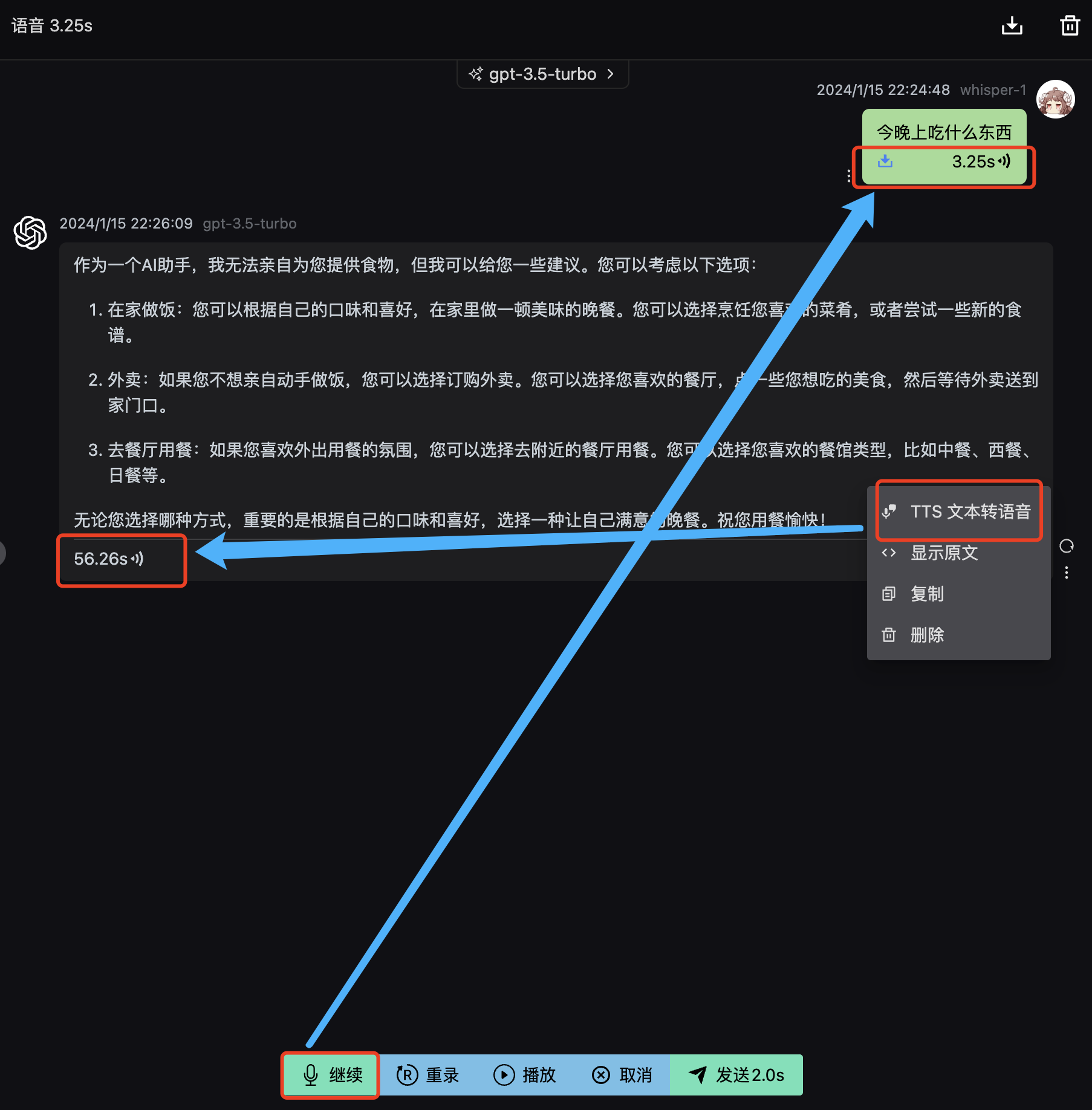
whisper curl Example
Request
shell
curl --request POST \
  --url https://api.openai-hk.com/v1/audio/transcriptions \
  --header 'Authorization: Bearer hk-your-key' \
  --header 'Content-Type: multipart/form-data' \
  --form file=@/path/to/file/openai.mp3 \
  --form model=whisper-1
curl --request POST \
--url https://api.openai-hk.com/v1/audio/transcriptions \
--header 'Authorization: Bearer hk-your-key' \
--header 'Content-Type: multipart/form-data' \
--form file=@/path/to/file/openai.mp3 \
--form model=whisper-1Response
json
{
  "text": "Recognized speech content, supports Chinese"
}
{
"text": "Recognized speech content, supports Chinese"
}tts curl Example
shell
curl https://api.openai-hk.com/v1/audio/speech \
  -H "Authorization: Bearer hk-your-key" \
  -H "Content-Type: application/json" \
  -d '{
    "model": "tts-1",
    "input": "Say something, including Chinese!",
    "voice": "alloy"
  }' \
  --output speech.mp3
curl https://api.openai-hk.com/v1/audio/speech \
-H "Authorization: Bearer hk-your-key" \
-H "Content-Type: application/json" \
-d '{
"model": "tts-1",
"input": "Say something, including Chinese!",
"voice": "alloy"
}' \
--output speech.mp3Online Test
Visit
- Visit https://tts.ddaiai.com/ (If blocked, try changing the subdomain prefix to
suibian)
2. If it is blocked, you can change the address yourself: replacesuibianinhttps://suibian.ddaiai.comwith something else, e.g.https://2024.ddaiai.com— all variations work
3. Select the corresponding GPTs application
Settings
Then configure the following fields in the screenshot below
OpenAi API Base URL: https://api.openai-hk.com
OpenAi API KEY: hk-your-apiKey
Then configure the following fields in the screenshot below
OpenAi API Base URL: https://api.openai-hk.com
OpenAi API KEY: hk-your-apiKey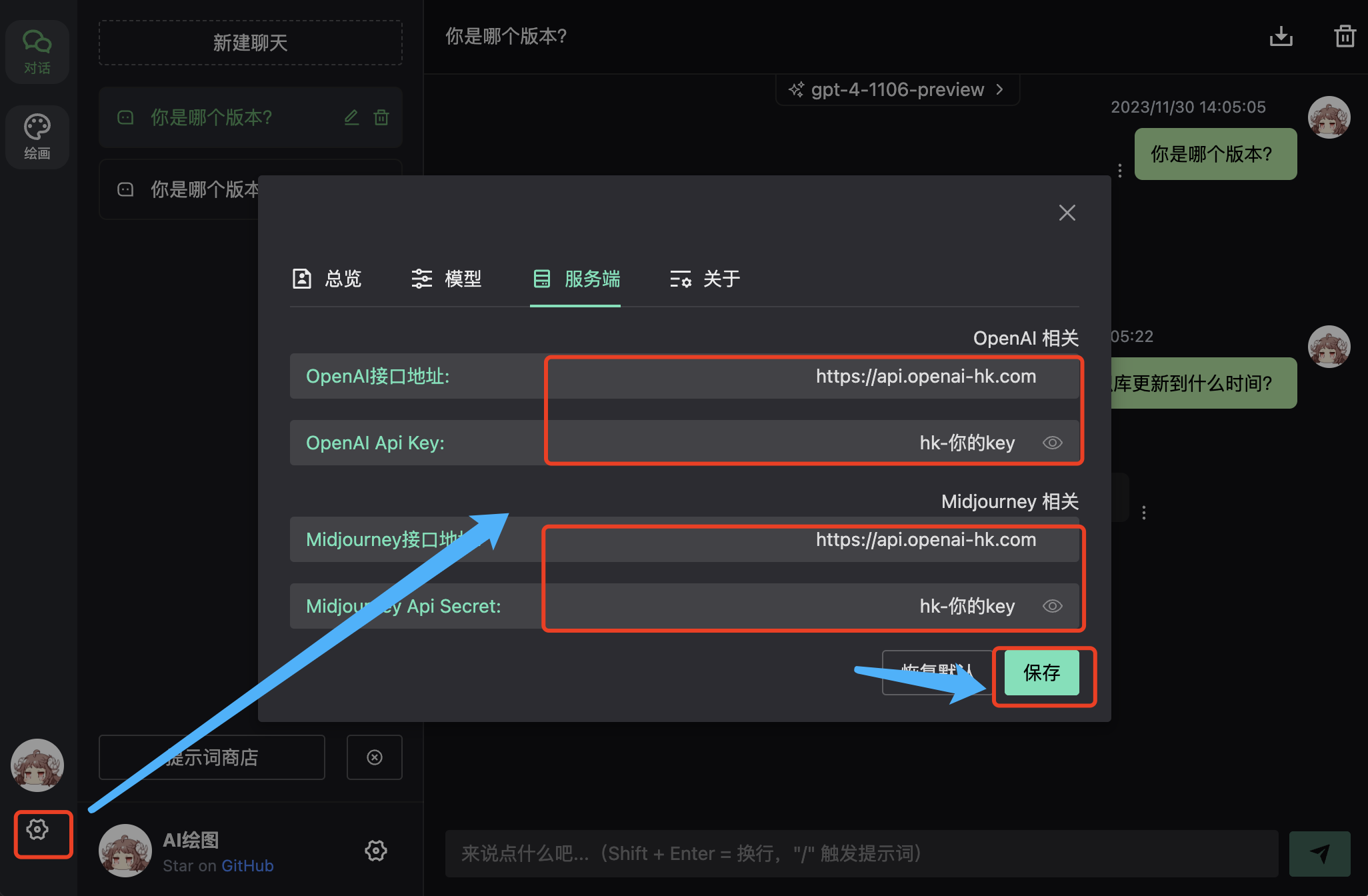
whisper Preview
Recording requires HTTPS and microphone permission 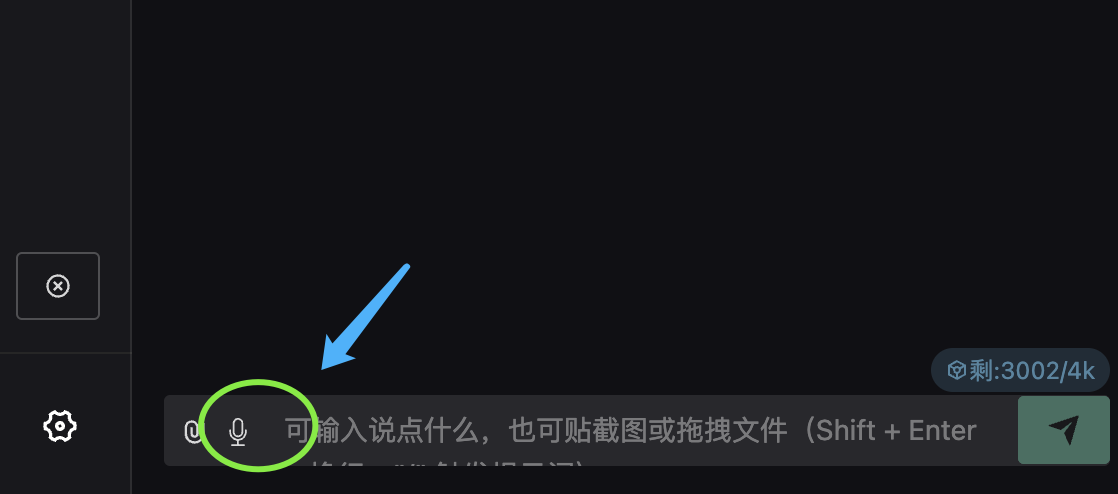
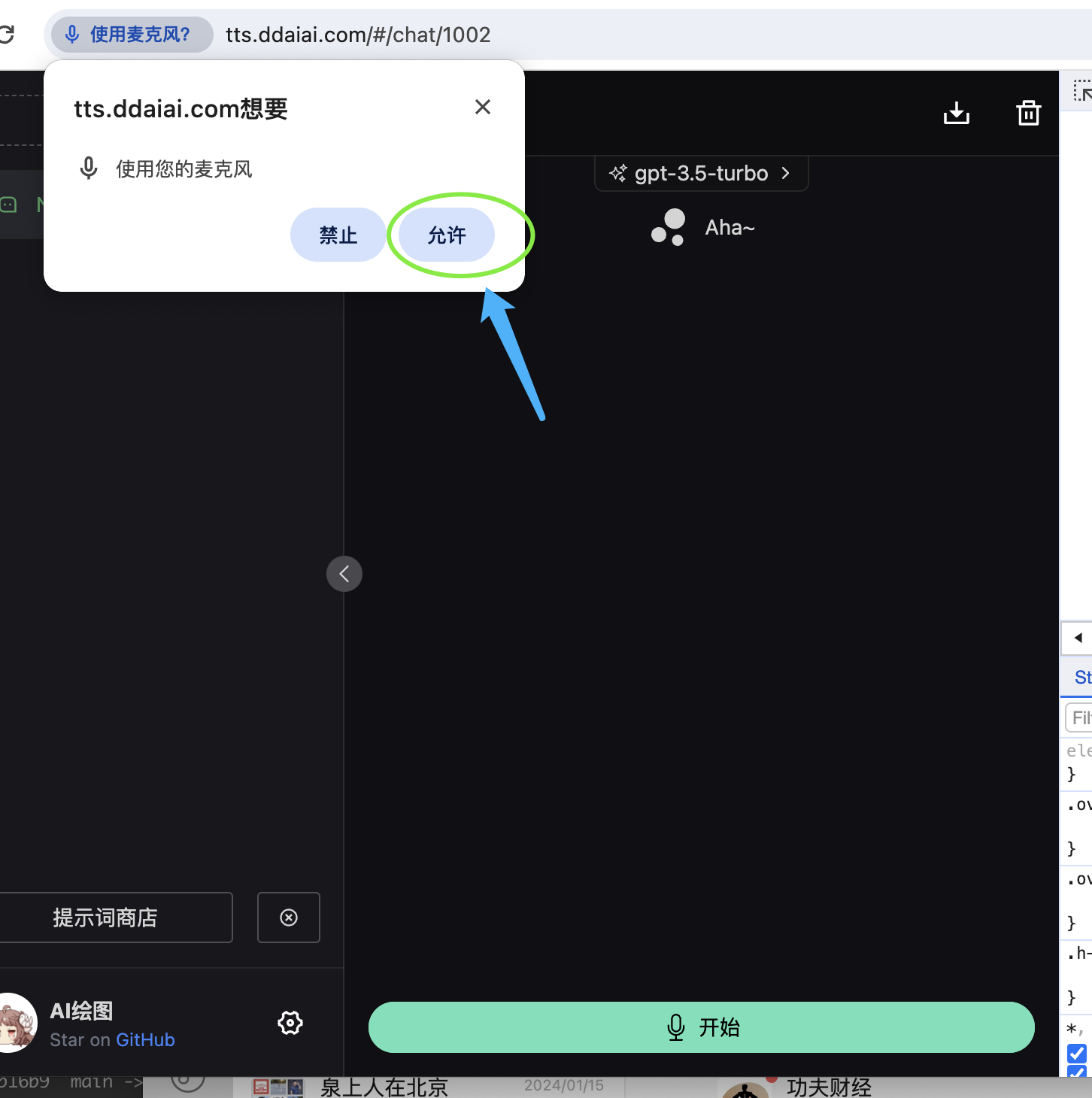 After starting the recording, click
 Send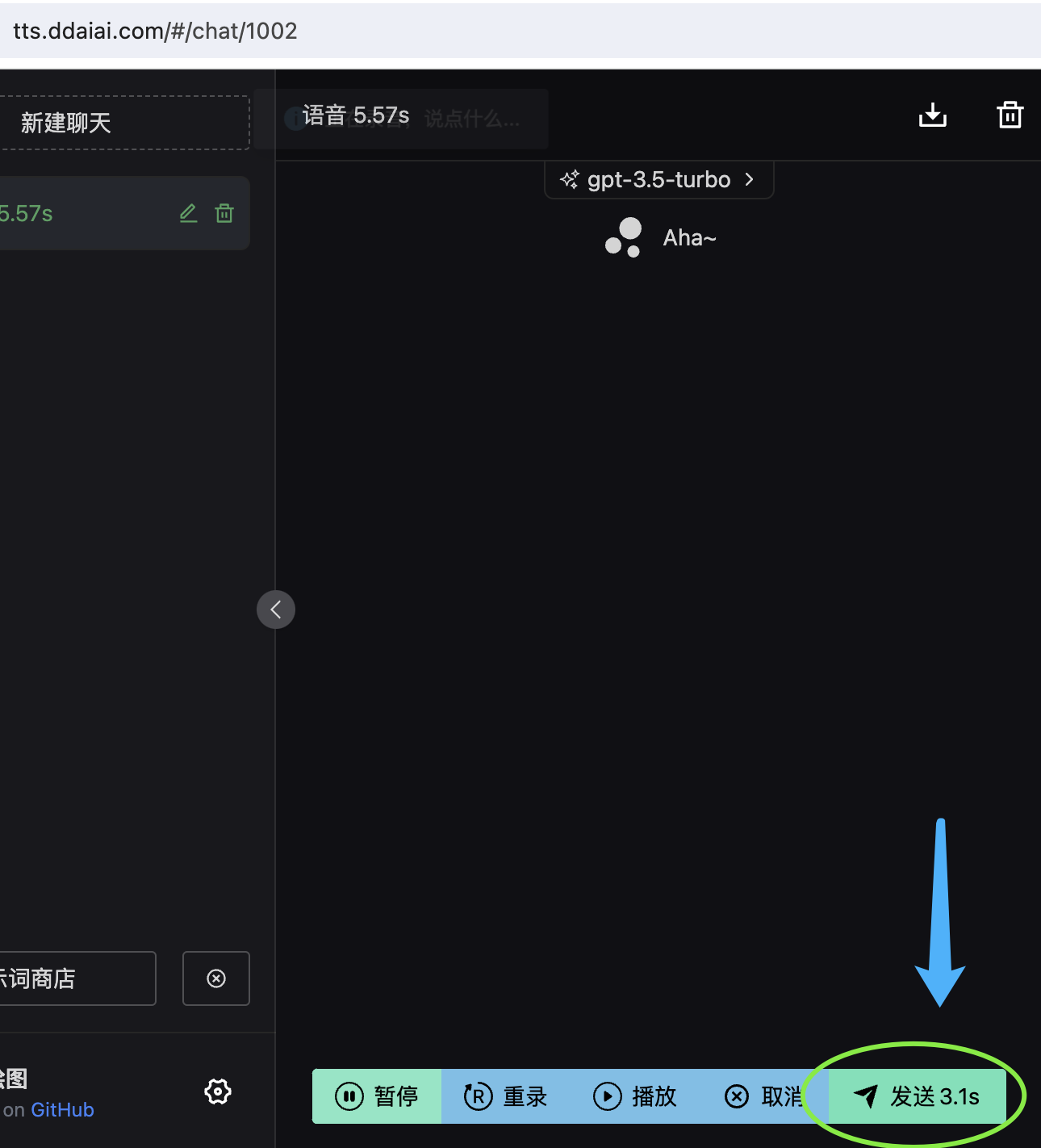 You can then see the recognition result
tts Preview
Find TTS Text-to-Speech in the More menu